


 Product Packaging Design
How to Deploy a MERN Stack App on AWS: Step-by-Step Guide
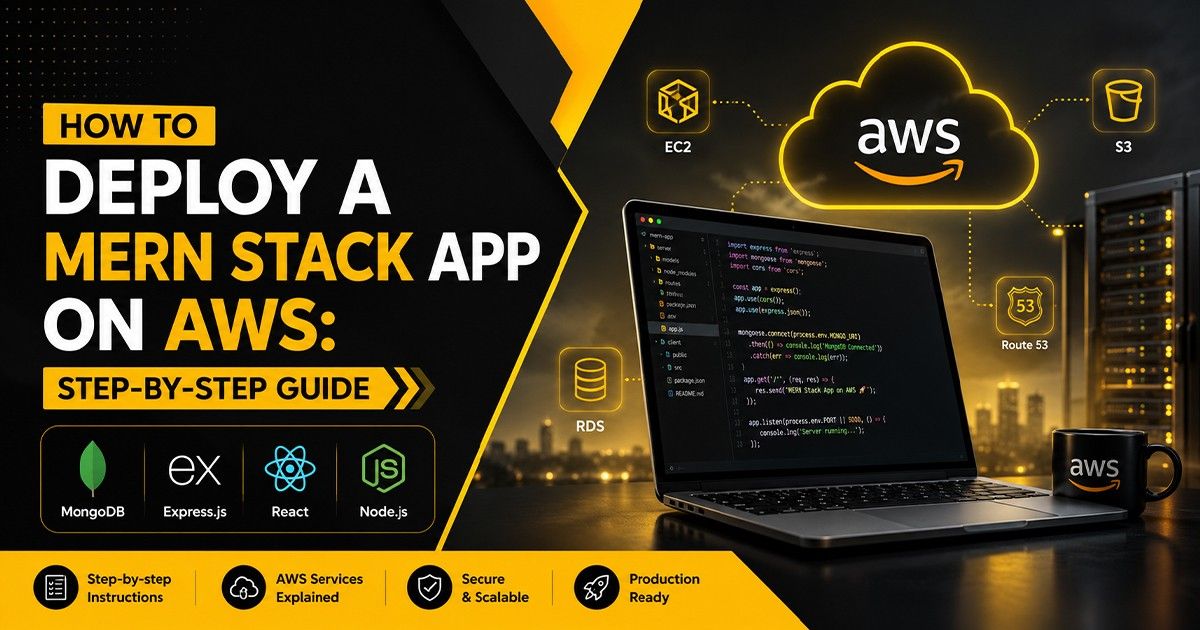
how to Deploy MERN Stack App on AWS with this step-by-step guide. Explore MERN Stack Deployment, AWS EC2, MongoDB Atlas, NGINX, PM2, and cloud hosting best practices for secure, scalable applications.
Introduction
Building a web application is only half the journey—the real challenge begins when it's time to deploy it for real users. Whether you're a beginner or an experienced MERN Stack Developer, understanding how to Deploy a MERN Stack App on AWS is an essential skill for creating production-ready applications.
Today, businesses expect applications to be secure, scalable, and highly available. This is why cloud platforms like Amazon Web Services (AWS) have become the preferred choice for hosting modern web applications.
A successful MERN Stack Deployment involves much more than uploading your project files. It includes server configuration, database connectivity, security optimization, process management, reverse proxy configuration, SSL implementation, and continuous monitoring.
Modern developers are also improving deployment workflows using AI-powered coding assistants like ChatGPT, Claude AI, GitHub Copilot, Amazon Q Developer, and Cursor AI. These tools help automate repetitive tasks, debug deployment errors, generate configuration files, and accelerate the overall deployment process.
In this complete guide, you'll learn everything required to Deploy a MERN Stack App on AWS, understand the MERN Stack Full Form, explore deployment best practices, and create a production-ready application using AWS EC2, MongoDB Atlas, NGINX, and PM2.
What is MERN Stack?
One of the most common questions beginners ask is "What is MERN Stack?"
The MERN Stack is a popular JavaScript technology stack used to develop modern full-stack web applications using a single programming language across both frontend and backend development.
The MERN Stack Full Form is:
MongoDB – NoSQL Database
Express.js – Backend Framework
React.js – Frontend Library
Node.js – JavaScript Runtime
Because every component uses JavaScript, developers can efficiently build scalable applications while maintaining a consistent development workflow.
Today, startups, SaaS companies, and enterprises widely adopt the MERN Stack because it offers high performance, flexibility, and excellent community support.
Why Deploy MERN Stack Applications on AWS?
There are many cloud providers available today, but AWS Cloud Hosting remains one of the most trusted platforms for deploying production-ready applications.
Deploying your application on AWS offers several advantages:
High availability
Better security
Automatic scalability
Global infrastructure
Cost-effective hosting
Reliable performance
Enterprise-grade cloud services
Whether you're building an eCommerce platform, CRM, SaaS product, or business website, AWS Deployment provides the flexibility required for long-term growth.
Prerequisites Before Deployment
Before starting your MERN Stack Deployment, make sure you have the following ready:
An AWS Account
AWS EC2 Instance
Ubuntu Server
MongoDB Atlas Database
Node.js Installed
Git Installed
NPM Installed
SSH Access
Domain Name (Optional)
GitHub Repository
SSL Certificate (Recommended)
Preparing these components beforehand makes the deployment process much smoother and reduces configuration issues.
More Info: Shopify vs WordPress
Step 1: Launch an AWS EC2 Instance
The first step is creating an AWS EC2 virtual server where your application will run.
Choose a suitable Ubuntu instance based on your project requirements.
After launching your server:
Configure Security Groups
Allow HTTP (80)
Allow HTTPS (443)
Allow SSH (22)
Download your private key (.pem file) and connect securely using SSH.
Your EC2 instance will become the hosting environment for your MERN application.
Step 2: Connect to Your Server
Once the EC2 instance is running, connect using SSH:
ssh -i your-key.pem ubuntu@your-public-ip
After connecting:
Update Ubuntu packages
Install Git
Install Node.js
Install NPM
Keeping your server updated improves both security and stability.
Step 3: Clone Your MERN Stack Project
Now clone your project from GitHub:
git clone https://github.com/yourusername/project-name.git
Move inside your project folder:
cd project-name
Install dependencies for both frontend and backend.
npm install
If your project contains separate frontend and backend folders, install packages individually before continuing.
At this stage, your application files are successfully available on the AWS server and ready for production configuration.
Step 4: Configure MongoDB Atlas
A production-ready application requires a secure and reliable database. Instead of hosting MongoDB locally, most developers use MongoDB Atlas, a fully managed cloud database service.
After creating your MongoDB Atlas cluster:
Create a database user
Whitelist your AWS EC2 IP Address
Copy your MongoDB Connection String
Replace the connection string inside your .env file
Example:
MONGODB_URI=your_mongodb_atlas_connection_string
PORT=5000
JWT_SECRET=your_secret_key
Using MongoDB Atlas improves scalability, security, automatic backups, and database management.
Step 5: Configure Environment Variables
Never hardcode sensitive information directly into your project.
Store important values inside an environment file:
Database URL
API Keys
JWT Secret
Port Number
Third-party Credentials
This keeps your application secure and easier to manage across development and production environments.
Step 6: Run Your Backend Using PM2
Once your backend is configured, start it using PM2, one of the most popular Node.js process managers.
Install PM2:
npm install -g pm2
Start your backend:
pm2 start server.js
Save the process:
pm2 save
Enable auto-start after server reboot:
pm2 startup
Using PM2 offers several benefits:
Automatic restart after crashes
Background execution
Process monitoring
Log management
High application availability
For any Production Deployment, PM2 is highly recommended.
Step 7: Configure NGINX Reverse Proxy
Instead of exposing your Node.js server directly, configure NGINX as a reverse proxy.
NGINX provides:
Better performance
Load balancing
Reverse proxy support
SSL integration
Improved security
Once installed, configure your NGINX server block to forward requests from port 80 or 443 to your Node.js application.
This setup creates a professional and scalable Cloud Hosting environment for your MERN application.
More Info: Claude Mythos Preview
Step 8: Secure Your Website with SSL
Security should never be optional.
Install a free SSL certificate using Let's Encrypt.
Benefits include:
HTTPS encryption
Better SEO rankings
Increased customer trust
Secure data transmission
Browser security compliance
A secure application improves both user experience and search engine visibility.
Common MERN Stack Deployment Mistakes
Even experienced developers can encounter deployment issues.
Some common mistakes include:
Forgetting environment variables
Incorrect MongoDB Atlas configuration
Missing Security Group rules
Not using PM2
Skipping SSL setup
Improper NGINX configuration
Exposing sensitive credentials
Ignoring server updates
Avoiding these mistakes helps ensure a stable and secure deployment.
How AI is Improving MERN Stack Deployment
Artificial Intelligence is transforming software development and deployment workflows.
Modern developers use AI-powered tools such as:
ChatGPT
Claude AI
GitHub Copilot
Amazon Q Developer
Cursor AI
These tools can help:
Generate deployment commands
Debug server errors
Optimize NGINX configurations
Write deployment scripts
Review application code
Improve DevOps workflows
While AI significantly speeds up development, developers should always verify configurations before deploying to production.
Why Businesses Choose Professional MERN Stack Developers
Deploying a production-ready application requires expertise beyond writing code.
A skilled MERN Stack Developer understands:
Cloud infrastructure
Security best practices
Performance optimization
Server management
Database scaling
DevOps workflows
Businesses often choose experienced developers or professional development companies to ensure reliable and secure deployments.
How Grow Shadow Helps Businesses Build Scalable Applications
At Grow Shadow – IT & Marketing Solution Company, we partner with startups, growing businesses, and established enterprises to develop secure, scalable, and high-performance web applications using the MERN Stack, AWS Cloud Hosting, and modern DevOps deployment practices. Our focus is on delivering reliable digital solutions that support long-term business growth and performance.
As a growing Best IT Solution Company in Surat, our expertise includes:
MERN Stack Development
Full Stack Development
AWS Deployment
Cloud Infrastructure
DevOps Solutions
API Development
Website Development
Software Development
We build secure, scalable, and performance-driven applications tailored to business growth.
Ready to Deploy Your MERN Stack Application?
If you're planning to launch a production-ready web application, choosing the right deployment strategy is just as important as writing clean code.
Whether you're building a startup product, SaaS platform, admin dashboard, or enterprise solution, our team can help you deploy secure and scalable applications on AWS.
👉 Contact Grow Shadow today to discuss your MERN Stack Development or AWS Deployment project.
Conclusion
Learning how to Deploy a MERN Stack App on AWS is an essential skill for every modern MERN Stack Developer.
From understanding What is MERN Stack and the MERN Stack Full Form to configuring AWS EC2, MongoDB Atlas, NGINX, PM2, and SSL, every step plays a critical role in creating a secure and production-ready application.
By combining modern DevOps practices, cloud infrastructure, and AI-powered developer tools, businesses can build applications that are scalable, secure, and future-ready.
Whether you're deploying your first project or managing enterprise applications, following these best practices will help you achieve reliable performance and long-term success.
FAQs
1. How do I deploy a MERN Stack application on AWS?
Deploying a MERN Stack App on AWS involves creating an AWS EC2 instance, configuring MongoDB Atlas, setting up environment variables, running the backend with PM2, configuring NGINX, and securing the application with SSL.
2. Which AWS service is best for hosting a MERN Stack app?
For most projects, AWS EC2 is the preferred hosting option because it provides flexibility, scalability, and complete server control for MERN applications.
3. Can I deploy React and Node.js on the same EC2 instance?
Yes. Many developers host both the React frontend and the Node.js backend on a single AWS EC2 instance using NGINX as a reverse proxy.
4. Why should I use NGINX and PM2 for MERN deployment?
NGINX improves security, routing, and performance, while PM2 keeps your Node.js application running continuously by automatically restarting it after crashes or server reboots.
5. Is MongoDB Atlas better than self-hosting MongoDB?
Yes. MongoDB Atlas offers automatic backups, managed infrastructure, stronger security, and easier scalability, making it an excellent choice for most production applications.
We'd Love to Hear You!
Chat with US
 Send Us Mailinfo@growshadow.com
Call Us
 Call 24/7 Hours+91 70693 32037
Visit Office